
Stake customer support: live chat, e-mail and Help Center
Help at Stake runs through three channels: a 24/7 live chat on every page, e-mail to support@stake.com and a searchable Help Center at help.stake.com. There is no phone helpline. This page explains which channel suits which problem, what information to prepare and how to recognise genuine messages from the operator.
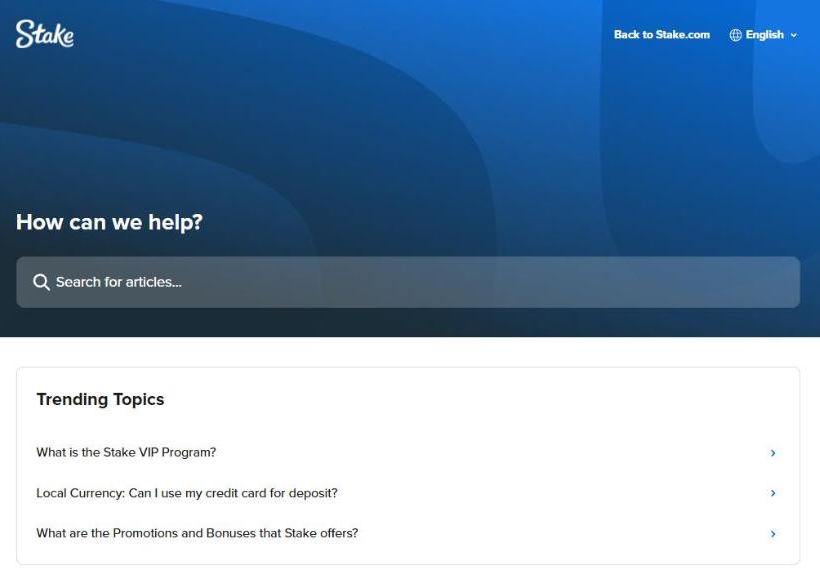
Ways to contact Stake
| Channel | Best for | Where |
|---|---|---|
| Live chat | Deposits, withdrawals, bonuses, game issues | Headset icon or “Live Support” in the menu, 24/7 |
| support@stake.com | Detailed questions, documents, follow-ups | E-mail from your registered address |
| recovery@stake.com | Lost e-mail access or lost 2FA | |
| accountclosure@stake.com | Closing or reopening an account | E-mail from your registered address |
| Help Center | Step-by-step answers | help.stake.com |
| Phone | — | No phone number is published |
For players in Pakistan the live chat is the practical first stop: it answers in English at any hour, it can see your account once you are logged in, and it handles PKR wallet questions as well as crypto ones. E-mail is better when you need to attach documents or keep a written record, for example during a verification review. People looking for a Stake helpline number should know that phone support is not offered, so any number shared on social media or messaging apps is not from the operator.
Stake live chat support
Log in first
Agents can look up deposits, bets and bonuses faster when the chat is opened from your account.
Open Live Support
Use the headset icon in the bottom-right corner or the Live Support item in the side menu; on mobile it sits in the menu.
Describe the issue in one message
Write what happened, when, in which currency and on which game or match, and add the reference number.
Keep the chat open
Some checks take a few minutes; closing the window can send you back to the queue.
Questions about PKR deposits are solved fastest with the date, the amount, the mobile wallet you used and the transaction reference from that wallet. For a missing crypto deposit, the transaction hash is the key detail. Many “missing” deposits turn out to be a wrong network, a missing memo or a phone number that does not match the wallet, so it is worth checking those three things before writing.
E-mail support and recovery addresses
support@stake.com handles general questions and anything that needs attachments. Always write from the address registered on the account, otherwise the team cannot confirm that the request comes from the owner. Two other addresses cover special cases. recovery@stake.com is for players who have lost access to their e-mail — you write from the new address you want linked — or to their two-factor authentication app; after the ownership questions, 2FA access is usually restored within 48 hours. accountclosure@stake.com is used to close an account or ask for it to be reopened after the 24-hour cooling-off period.
Password problems rarely need e-mail at all: “Forgot Password?” in the sign-in window sends a reset link to the verified e-mail within minutes. If you registered with Google or another social account, the password is reset on that platform instead.
Bet IDs and transaction hashes
Support asks for exact references because every bet and every blockchain transfer has one. Finding them takes a few seconds:
- Casino bet ID: open My Bets from the account menu, switch to Casino, click the bet and copy the ID next to its number.
- Sports bet ID: go to Sports → My Bets, choose Active or Settled, open the selection (or the “X Leg Multi” slip) and copy the bet ID or the bet link.
- Transaction hash: open the history of the wallet you sent crypto from and copy the long string of letters and numbers, or the explorer link such as an Etherscan URL.
With a bet ID the agent sees the odds, stake and settlement at once, which matters for disputed results such as a voided leg or a cash-out that was not available. With a hash the team can trace whether a deposit is still waiting for network confirmations or was sent on an unsupported network.
Problems inside live casino games
Some live tables are run by external studios, and their own support can see the round in detail. For Evolution games, click the headset icon in the lobby or in-game chat; for Pragmatic Play Live, use the headset in the top-right of the game screen. If the studio sends you back to Stake, ask for the Case ID and pass it to live chat. For other providers, note the time, game, currency pair and bet ID and contact support straight away.
When a slot freezes during free spins or a bonus buy, the feature is not lost. Re-enter the game with the same currency pair (for example BTC shown in USD), clear cache and cookies or try another browser. If the round still does not load, games settle automatically after a few days and the result is credited.
How to spot fake support messages
Genuine e-mails come only from noreply@stake.com (security, verification, codes), noreply@mail.stake.com (promotions) and support@stake.com. Messages from other domains, WhatsApp numbers or Telegram accounts posing as Stake support are a common way to steal logins and deposits. Real agents never ask for your password, 2FA code or seed phrase.
- Do not click links in suspicious messages; report them to live chat instead.
- Type the address yourself rather than using links from social media.
- Turn on 2FA or a passkey so a stolen password alone cannot open the account.
Promises of “guaranteed predictions”, bonus codes for a fee or account unlocks for payment are scams as well. The tools that genuinely protect players are loss limits, breaks and exclusion, all available in the account settings.
Support FAQ
Is there a Stake helpline number?
No phone line is published. Support works through the 24/7 live chat on the site, the e-mail address support@stake.com and the Help Center at help.stake.com.
How fast does live chat answer?
Live chat is staffed around the clock and is the quickest channel. Having your username, bet ID or transaction hash ready shortens the conversation.
What if I lost access to my e-mail?
Write to recovery@stake.com from the new address you want linked to the account. The team then checks ownership and helps move the account to that address.
What if I can't use my 2FA app?
Contact recovery@stake.com from the e-mail registered on the account. After the ownership checks, access is usually restored within 48 hours.
Which e-mail addresses are genuine?
Only noreply@stake.com, noreply@mail.stake.com and support@stake.com. Any message from another domain that claims to be from the operator should not be opened and can be reported to support.